
Running your day
Aftercare that shares itself.
Write your aftercare advice once. It lives on your website and Solo links to it from the booking completed email, your booking page and your home page.
One aftercare page On your own website Linked automatically Optional on SMS
In detail
Everywhere your clients will look.
01
A page on your website
Your aftercare lives at yourname/aftercare, so it always looks like your brand.
02
In the completed email
The link goes out with the booking completed message, while the treatment is fresh.
03
Found without asking
It is linked from your home page and booking page, so clients can find it weeks later.
04
One switch
Share aftercare information on, and every one of those links appears. Off, and none do.
Aftercare
How it works.
Write it once
One aftercare page, in your words, for everything you offer.
Linked in three places
The booking completed email, your booking page and your home page.
Optional on SMS too
Add the link to your SMS booking updates if you want it in their pocket.
On your website
A page that looks like you.
Your brand, your words
The aftercare page picks up your website theme, fonts and colours.
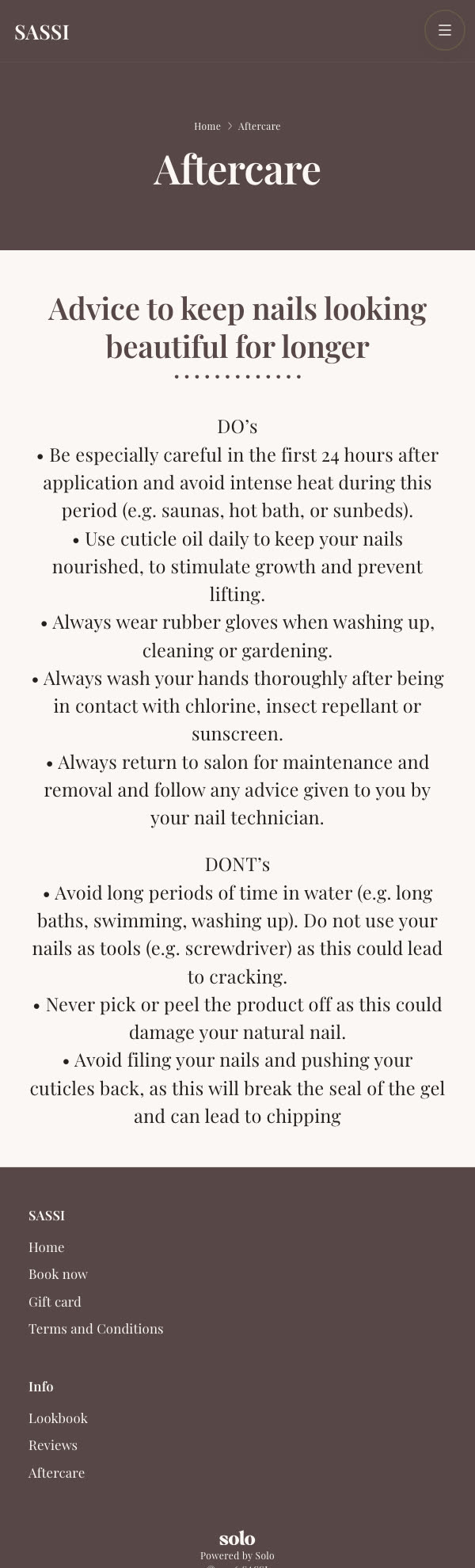
Do’s and don’ts, clearly laid out
Everything a client needs to protect the work, in one place they can revisit.
A real one
This is Sassi Nails’ live aftercare page, exactly as her clients see it.
What our customers say
★★★★★
“I love the Solo app because it allows me to add consultation forms, aftercare forms and take deposits safely and securely for my bookings.”

Zoe Gibbs
Lip Brow Lash · Aesthetics
FAQ
Questions, answered.
Where does my aftercare live?
On its own page on your Solo website, at yourname/aftercare. It is styled like the rest of your site, so it looks like you rather than a generic PDF.
How do clients get it?
Solo links to it automatically from your booking completed email, your booking page and your home page. You can also add the link to your SMS booking updates.
Do I have to send it each time?
No. Write it once and turn Share aftercare information on. Every one of those links appears, and updating the page updates it everywhere.
Does aftercare help retention?
Good aftercare protects the work you have done and gives clients a reason to come back on time. It is also a natural place to say when to book the next appointment.
Protect your work after they leave.
30-day free trial. No credit card required. Cancel any time.
Pricing
Simple pricing. Everything included.
Every booking feature is included in one plan. No per-booking fees, no commission, no add-ons.
Most popular
Website & Booking System
Everything: website, bookings, payments and marketing in one.
£30 / mo
Try for free → Professional website & Google listing
Booking page & calendar
Deposits & cancellation fees
SMS + email reminders
Card payments & tips
Marketing, loyalty & referrals
Move in from any marketplace
Salon
For a team sharing one diary and a front desk.
£30 / mo per seat
Talk to us → Everything in Website & Booking System
A login and calendar each
Roles and permissions per person
A price per person, per service
The team calendar for the whole floor
Priority human support
Just starting out? Message us on WhatsApp to see if you qualify for our Starting Out discount.

Ready to grow your business?
The all-in-one solution that simplifies running one. Try Solo free for 30 days, no credit card needed.
Get started for free →